Gemini AI Photo Prompt: The Four Parts That Do the Work
Gemini ai photo prompt: How do you prompt Gemini for images?
Write four things in plain sentences: the subject and what state it's in, the light, the framing, and the mood. Gemini reads prose, not flags. A Gemini AI photo prompt that names "soft diffused window light" and "tight macro crop" gives the model something to aim at, while "make it look professional" just gives it a coin to flip.
That's the whole trick. It's also why most prompt lists don't travel. They hand you a finished string, and the moment your subject is a toddler instead of a model, or your window faces north instead of west, you're editing something you never understood in the first place.
So here's the structure worth keeping. Subject state is what the thing is doing right now: air-dried hair, sweat still on the skin, a wrist caught mid-gesture. Lighting is the source and its quality, not the vibe it gives you. Framing is how close you stand and what survives the crop. Mood is the one place adjectives earn their keep.
One thing worth knowing before you start. Nano Banana isn't a single model; Google's documentation lists it as four distinct models in the Gemini API, and the smaller ones are capped. Gemini 3.1 Flash Lite Image only supports 1K resolution, while Gemini 3.1 Flash Image adds a smaller 512px option. If your output looks softer than you expected, check which model you're on before you blame the wording.
You're also not stuck with one input. The same goes for ai prompts for photo editing. The API supports mixing up to 14 reference images into a single result, which matters a lot when you're trying to hold one face steady across a whole set.
Key takeaways
Four parts carry a prompt: subject state, lighting, framing, mood. Everything else is decoration.
Gemini reads plain prose. Midjourney flags like --ar 16:9 get printed back at you as text.
Identity drift comes from correction language. Describe the edit you want, don't call the original broken.
Swap one part at a time. Changing lighting and framing together tells you nothing about which one worked.
Portrait prompts that don't rebuild the face
Portrait retouching is where identity drift shows up first. This is especially true for Gemini AI photo prompt. Ask for flawless skin and Gemini treats that as permission to replace the skin, freckles and asymmetry included. You get back someone who looks like your subject's cousin.
A negative instruction bolted onto the end won't save you. What works is describing the edit you actually want, in the terms you'd use to a retoucher, instead of naming the original as a fault that needs correcting. "Soften under-eye shadows while keeping visible pore texture" survives. "Remove dark circles" invites a rebuild.
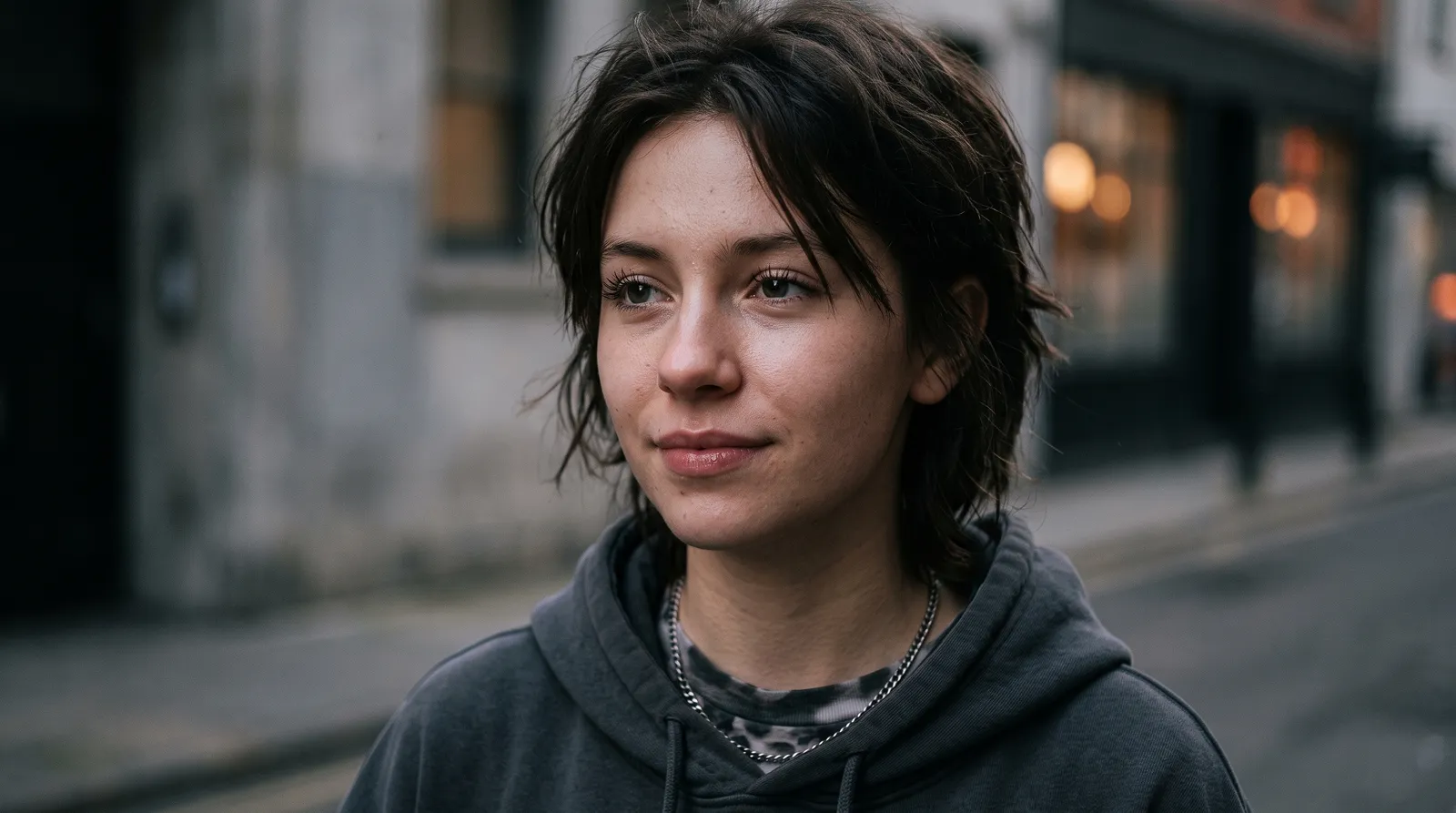
This one separates expression from everything else, which is rarer than it sounds. Its expression-type option moves between contemplative genuine, confident direct gaze and subtle mysterious without touching the lighting or the crop. Switch it and Gemini adjusts the muscles around the eyes and mouth, leaving skin texture where it was. That separation is the point. Most prompts fuse expression into one frozen description, so wanting a different mood means rewriting the whole paragraph.
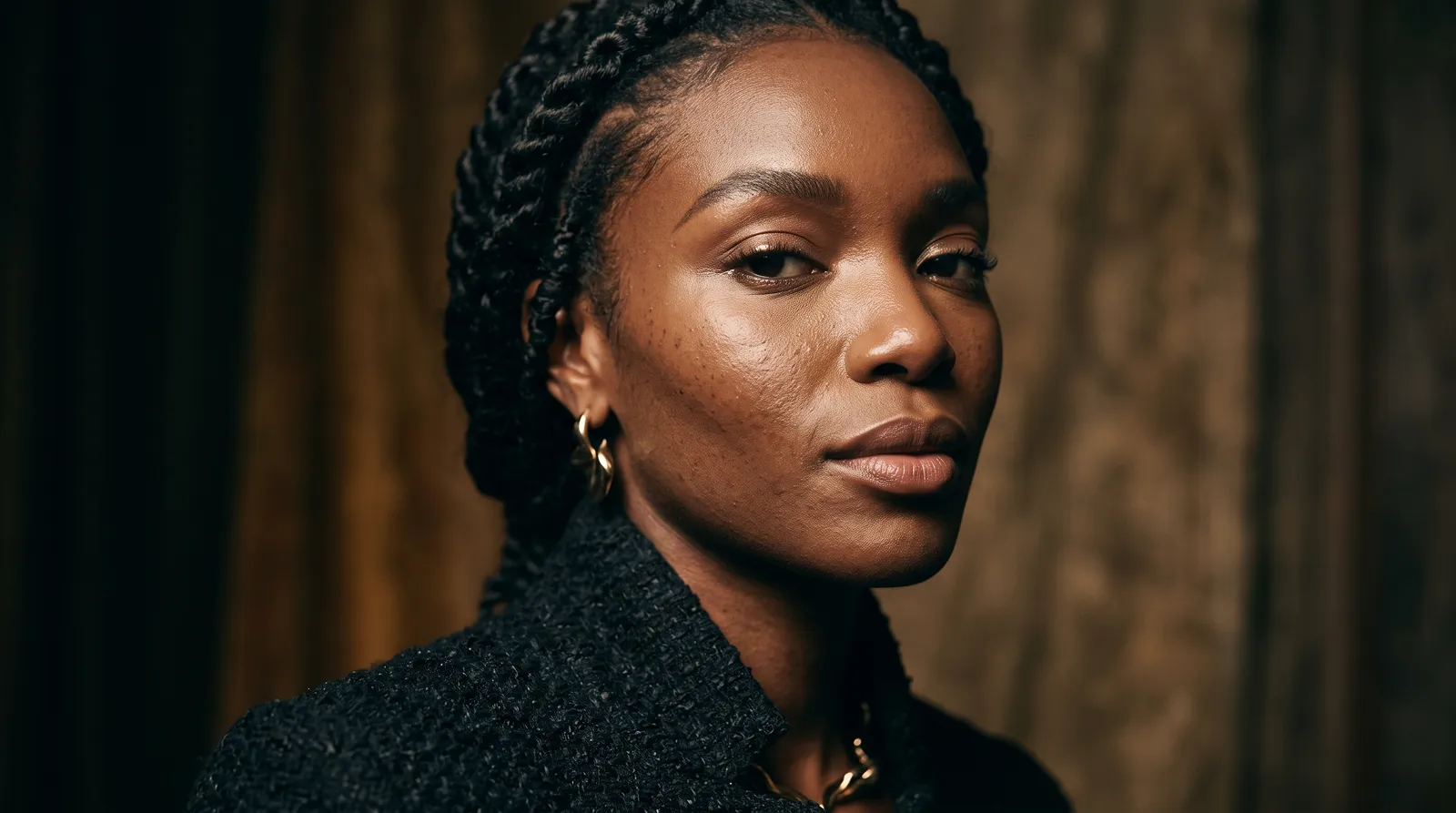
Here the lever is lighting-setup, and it's worth learning by name. Butterfly beauty light puts the shadow directly under the nose and flatters almost everyone. Rembrandt dramatic drops a triangle of light on the far cheek and adds weight to a face. Split lighting contrast lights exactly half. If you've ever wondered why one professional headshot reads warm and another reads severe, it's this, not the retouching.
Skin and hair prompts that keep the texture
Close-up work fails in a specific way: Gemini smooths. Pores go, individual strands merge into a mass, and you end up with something that reads as plastic even though every instruction you gave was reasonable.
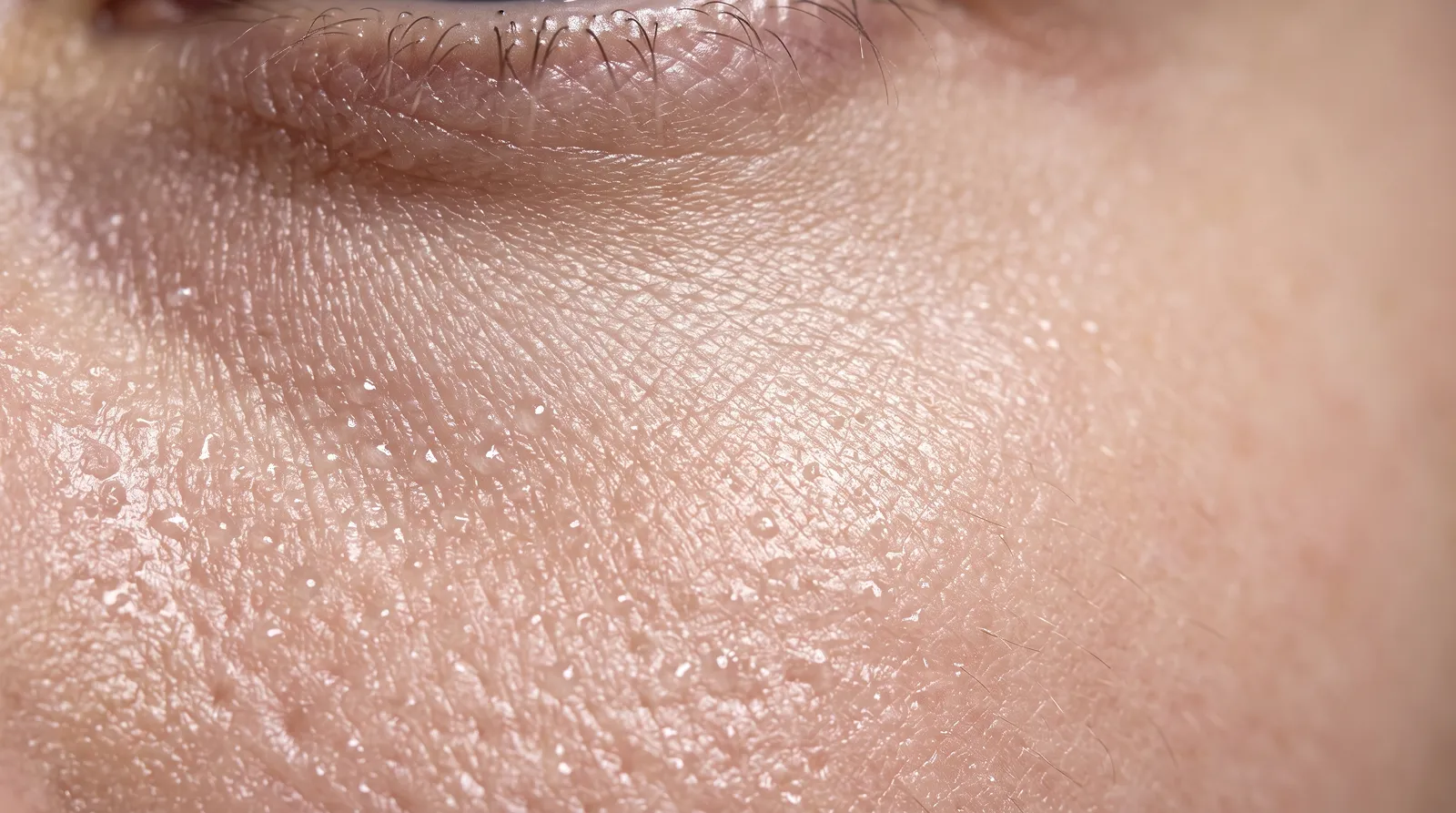
The skin-quality option is doing the heavy lifting here. Dewy hydrated perfect gives you the cosmetics-ad look; naturally textured authentic keeps visible pores and slight unevenness, which is what you want if a real person has to recognise themselves. Lightly textured relatable sits between them. Pair any of those with the macro-lighting option and you're steering two things independently instead of hoping one long sentence lands.
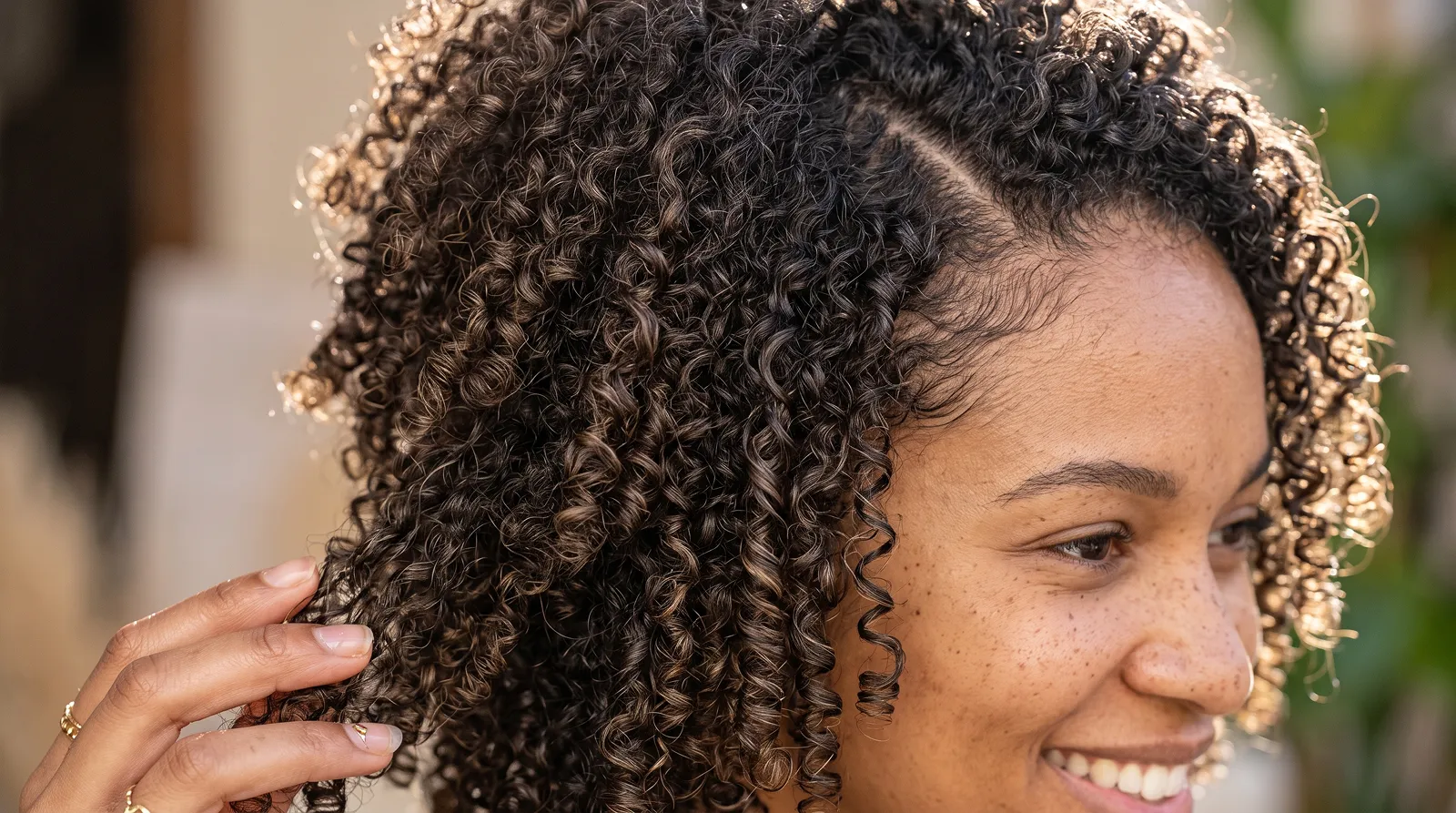
Hair is its own problem because curl and light interact. Set curl-type to coily type 4 tight with rim backlight halo and you get strand definition that reads as texture; keep the same curl and switch to soft diffused flattering and it reads as volume instead. The hair-state option decides whether curls look product-enhanced or air-dried, which changes how the model handles shine. Two options, four useful outcomes. Storing prompts this way is why organising the ones you keep reusing pays off faster than collecting more of them.
Before-and-after shots that stay believable
Comparison images are the easiest thing to overcook. Push the after too far and nobody believes either half, which defeats the entire point of shooting a pair.
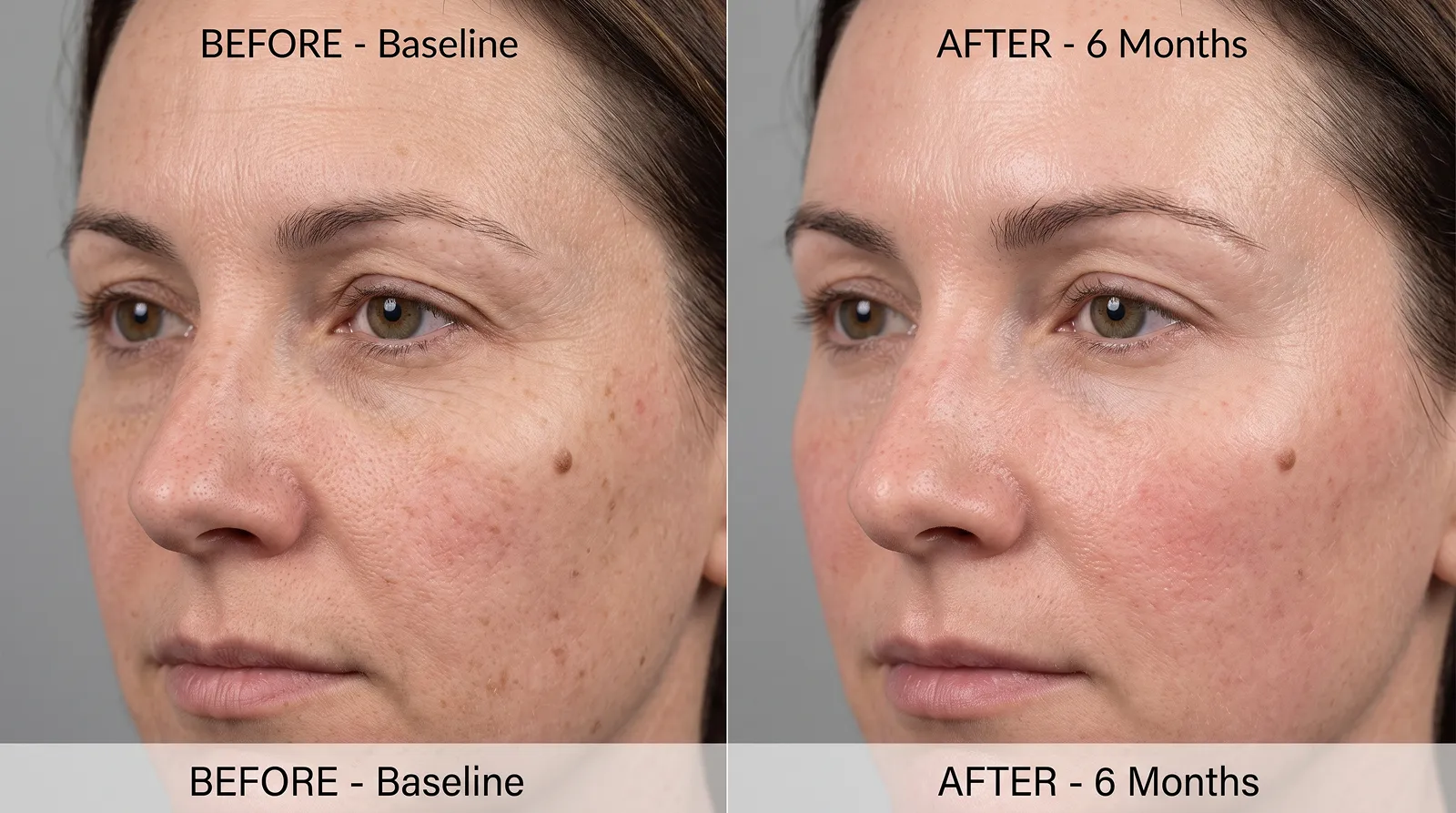
What makes this one usable is treatment-duration. Setting it to 2-week initial results produces a visibly smaller change than 12-week full transformation, so the pair stays honest instead of turning into a miracle claim. The skin-concern option tells Gemini what's actually changing, which stops it improving everything at once and handing you a different face. Keep the clinical-lighting option identical across both frames or the comparison means nothing.
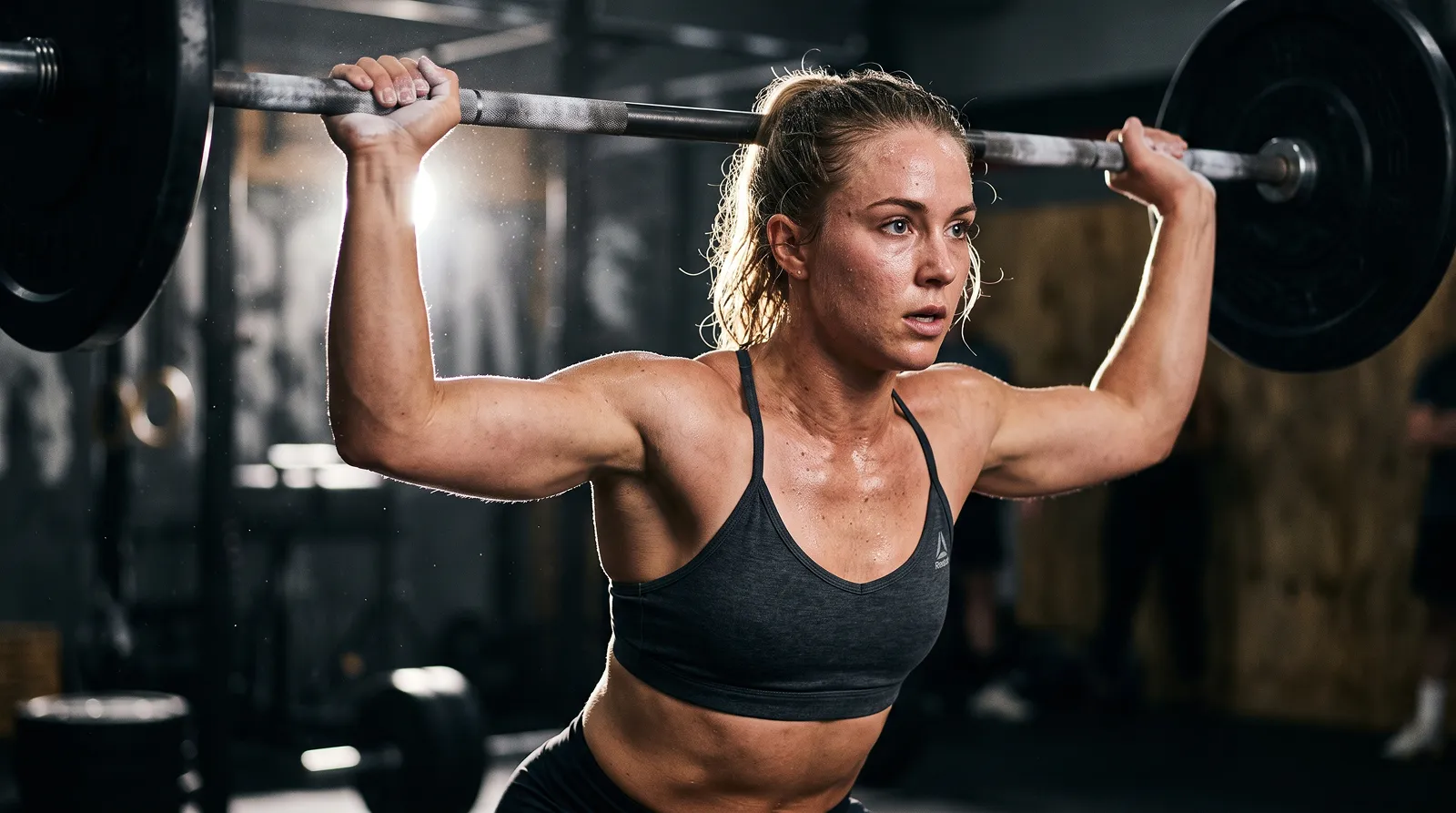
Sweat is a texture problem wearing a subject problem's clothes. This prompt's lighting-condition option is the one to move: dramatic rim light picks moisture out along the edge of an arm, while soft diffused studio flattens it into shine. Pose-type decides whether you get a held stance or something caught mid-happening. And if you want to work backwards from a result you already liked, reverse-engineering the prompt behind it beats guessing.
Product photography without the plastic look
Objects are easier than faces in one way and harder in another. That's why Gemini AI photo prompt matters here. Nobody complains that a watch looks like a different watch. But surfaces betray you instantly, and metal that reads as grey plastic ruins a frame that's otherwise fine.
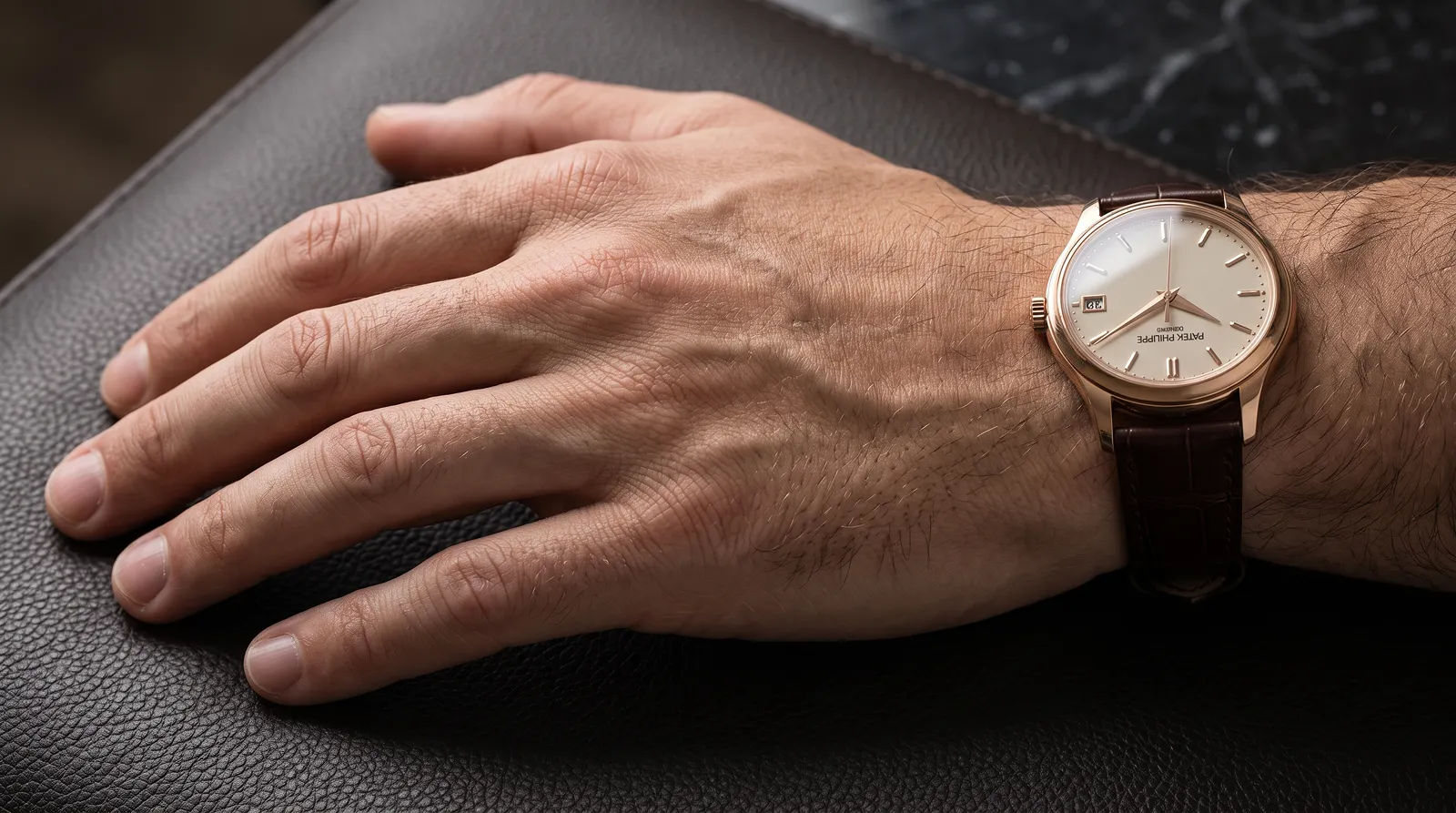
The luxury-tone option isn't a colour filter. Warm prestigious gold and steel precision modern change how Gemini renders reflections across the case, and reflections are what separate a photograph from a render. Hand-position decides how much of the frame the wrist takes. If you're building a set, hold watch-lighting fixed and move only hand-position, or you'll never learn which change did what. Most AI prompts for photos fail at product work for exactly this reason: three things move at once.
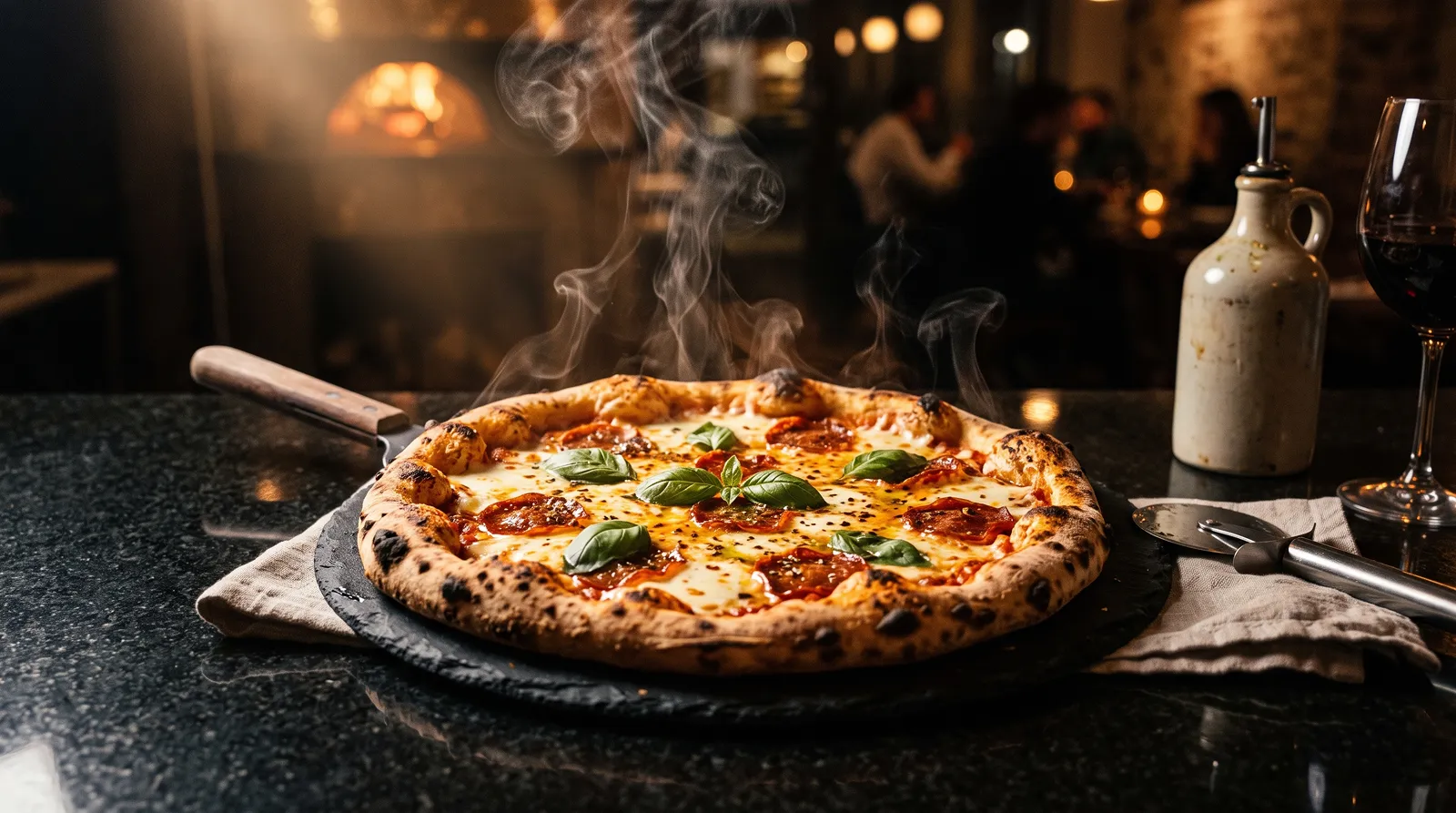
Food adds steam, and steam is where surface-material starts to matter. Rustic reclaimed wood bounces warm light back into the dish; polished black granite swallows it and pushes the steam forward as the brightest thing in frame. Mood then sets how far the grading goes. Same four-part structure, applied to a bowl instead of a face. There are more in the image generation prompts collection.
Backgrounds, seasons, and the edits Gemini won't do
Background replacement and object removal both work better when you describe what should be there rather than what shouldn't. "Replace the bin with a smooth concrete wall matching the existing surface" beats "remove the bin". Removal on its own is half an instruction: the model knows what to take out, then has to invent what belongs underneath.
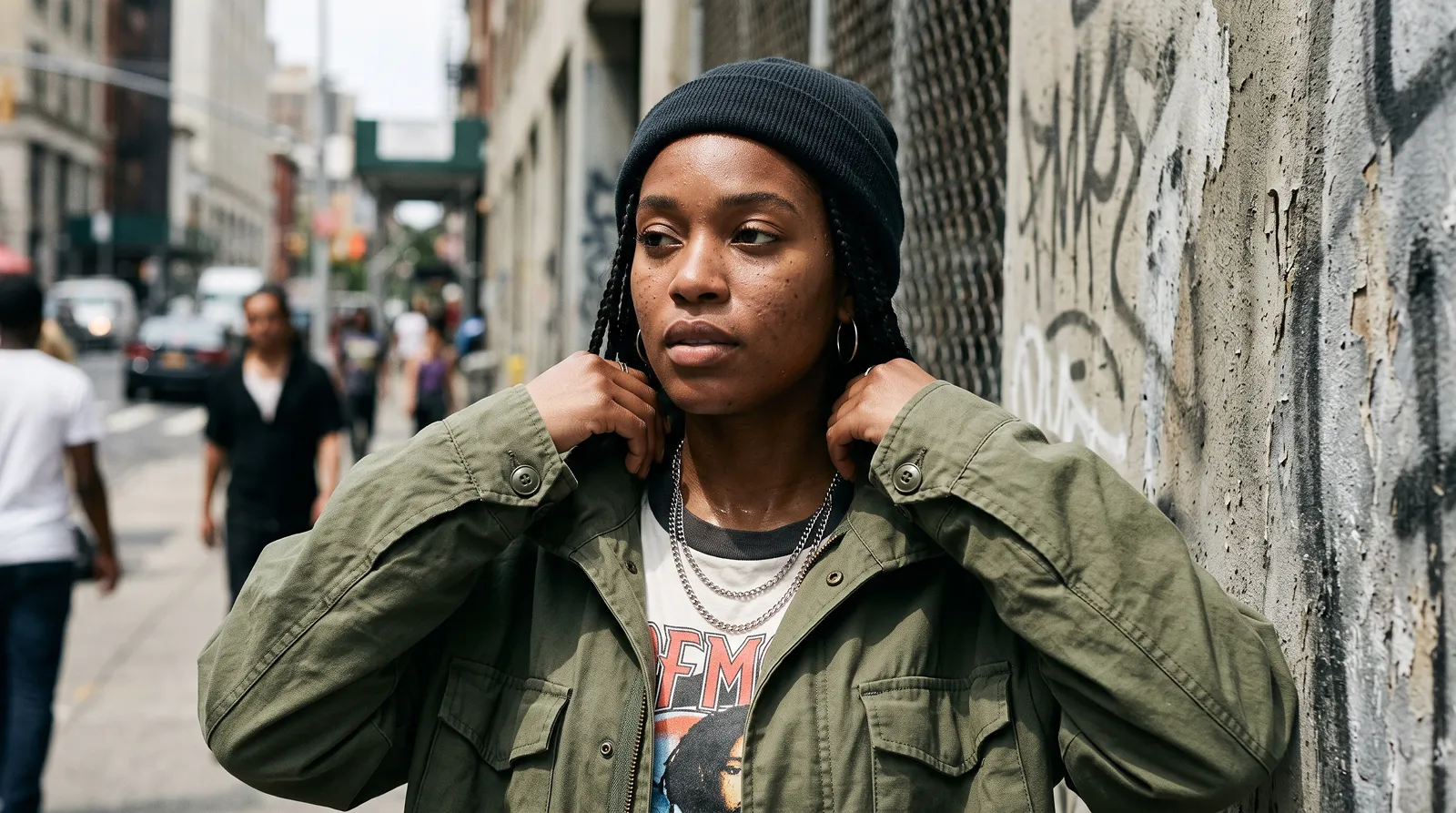
The environment-context option treats the background as a real decision instead of an afterthought. Concrete urban setting and rooftop city scene change the ambient colour bouncing back onto your subject, so colour-treatment has to move with it. That's the pairing worth internalising: background and grading are one decision, not two.
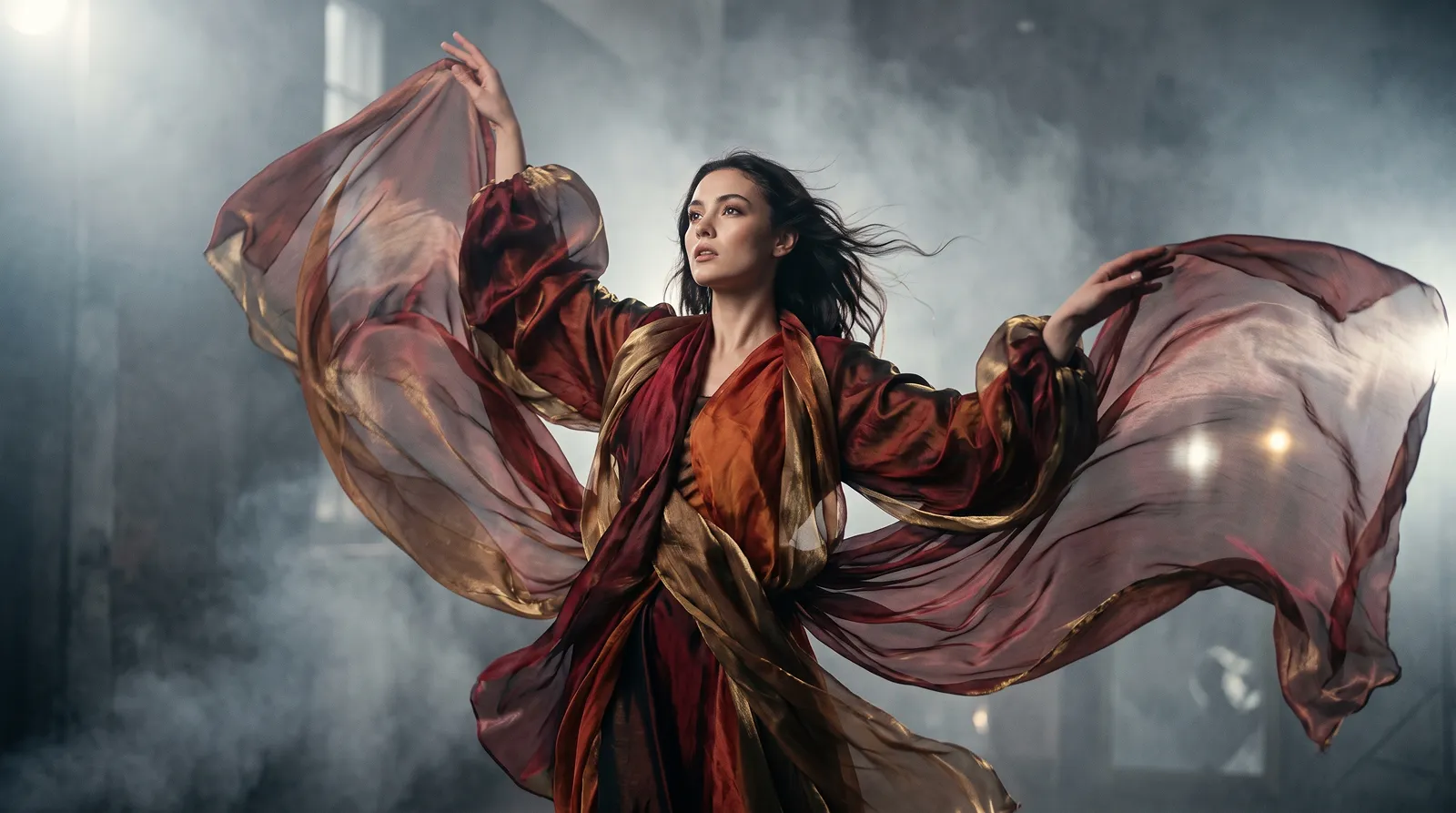
And when you want something that couldn't have been photographed at all, fabric-interaction is the option to reach for. Wind blown motion and spiral wrapping produce genuinely different geometry from the same silk. Pair either with an atmospheric-element like volumetric fog and the light finally has something to travel through.
Occasion shots deserve their own note, because that's where people go looking for a list and find nothing that fits. AI prompts for couple photos usually break because they describe two people as a single subject; give each one their own position and expression and the failure rate drops immediately. AI prompts for Christmas photos and prompts for Gemini AI Halloween portraits are the same problem in different clothes. The season lives in the light and the grading, not in a costume noun, and warm candlelit glow with soft amber tones does more work than the word "festive" ever will.
Two limits are worth knowing. Gemini refuses some edits outright, and there's a ceiling on volume: Google's help documentation notes that once you hit your daily quota of Nano Banana 2 images, you can't redo any additional images with Nano Banana Pro. Plan your iterations around that, because you will iterate.
Every prompt on this page lives on PromptCreek with its options already wired up, so you change the lighting or the framing from a dropdown instead of retyping the paragraph. This applies directly to Gemini AI photo prompt. If you want more of them, the Gemini prompts collection is where I'd start. But honestly, the best habit here isn't collecting prompts at all. It's changing one option at a time until you know what each part does, because then you stop needing anyone's list.
Frequently asked questions
What are the best AI image prompts for Gemini?
The ones with the fewest fixed decisions baked in. A prompt that spells out subject, lighting, framing and mood as separate clauses beats a longer one that fuses them, because you can change a single clause and predict what happens. Length isn't the measure at all. Ten well-chosen words beat sixty stacked adjectives, and the gap shows the second you reuse it on a different photo.
How do you prompt Gemini AI for photo editing?
Describe the edit, never the flaw. "Soften under-eye shadows while keeping pore texture" works; "fix her tired eyes" invites a rebuild of the whole face. Upload the photo first, then give one instruction at a time. Stacking three edits into a single sentence makes it impossible to tell which one Gemini ignored, and it usually ignores at least one of them.
How do I generate my photo with Gemini AI?
Open the Gemini app, attach your photo, and write the change you want as a full sentence. Name the light and the crop even when you're only editing one thing, because leaving them out means Gemini picks for you. For consistency across several images, reuse the same wording and change one option. The API supports mixing up to 14 reference images when you need a face held steady.
Why does Gemini change my face when I ask for a small edit?
Because correction language reads as permission. Words like flawless, perfect and fix tell the model the original is wrong and needs replacing rather than adjusting, so it rebuilds features instead of touching them. A negative instruction such as "do not change facial structure" reduces identity drift but never removes it. Describing the specific change you want is the only reliable fix.
Do Midjourney prompts work in Gemini?
No, and this trips people up constantly. Parameters like --ar 16:9, --stylize and --v 7 aren't instructions Gemini understands. They get read as literal text and either printed straight back or quietly folded into the description. Anything copied from a Midjourney list needs those flags stripped and their intent rewritten as prose. Aspect ratio becomes a sentence, not a flag.
Prompts in This Article
Try these prompts mentioned above — click to view full details.
Contemporary Fashion Model with Authentic Expression
Create contemporary fashion photography featuring models with genuine emotional expression, subtle skin detail, and modern editorial styling, perfect for progressive fashion brands and lifestyle campaigns.
High Fashion Editorial Model with Skin Luminosity
Generate editorial fashion photography featuring models with luminous skin, visible texture detail, and professional beauty lighting, ideal for luxury fashion campaigns and beauty editorials.
Luxury Skincare Model Close-Up with Moisture Detail
Generate extreme close-up beauty photography showcasing skin moisture, texture, and product interaction with photorealistic detail, ideal for skincare and beauty product campaigns.
Trending Prompts
Comprehensive GTM Strategy Builder
Transform your product launch into a strategic success with this comprehensive go-to-market framework. This prompt generates detailed, actionable GTM strategies covering market analysis, positioning, pricing, distribution, and launch execution plans tailored to your specific product and market conditions.
LinkedIn Engagement Post Generator
Creates compelling LinkedIn posts optimized for audience engagement, profile growth, and professional networking. This prompt generates posts that encourage meaningful interactions through questions, insights, and valuable content while maintaining a professional yet personable tone.
Fashion Editorial Photography Prompt
Creates hyperrealistic editorial fashion photographs with authentic skin texture, premium fabric details, and cinematic lighting. Perfect for high-end fashion shoots and editorial styling.
Ready to level up your prompts?
Explore 403+ prompts for gemini ai prompts for ChatGPT, Claude, Midjourney, and more on PromptCreek.